
One Earbud or One Side of Your Headphones Not Working? Fixes in Order
When only one earbud, or one side of a pair of headphones, plays sound, the cause is usually one of four things: a setting on the device, a bud that is not charged or is dirty, a Bluetooth pairing that went wrong, or a worn plug or cable. Most of these you can check in a few minutes.
This guide starts with the test that tells you whether the headphones or the device is at fault, then goes through the balance and mono settings, the fixes for wireless earbuds, and the checks for wired headphones.
How we researched this
We don’t test products or steps ourselves. The steps come from the makers’ own support pages: Apple’s AirPods page, Microsoft’s page on Bluetooth audio in one channel, Google’s Pixel Buds help, Sony’s support article and Marshall’s. A community repair wiki, iFixit, adds a few wireless checks. Menu names can differ between phones and Windows versions. See the full method.
Quick answer
Test the headphones on a second device first. Sony says that if sound plays on the other device, the first device may be at fault, and if it does not, the headphones may need service. If it is the device, set the balance to the middle (iPhone: Settings, Accessibility, Audio & Visual, Balance; Android: Settings, Accessibility, Audio Adjustment; Windows and Mac: Settings, Sound, Output) and, on Windows, turn off Mono audio. If it is the earbuds, charge both, clean the mesh and the charging contacts, put both in the case, forget them and pair them again, and reset them only as a last step.
First, find out whether the headphones or the device is at fault
Plug in or pair the same headphones with a second device, such as another phone or computer. Both Sony and Microsoft give this as the key test. The flowchart shows the whole path, and the table under it says the same in words.
| What you see | What it points to | What to do next | Source |
|---|---|---|---|
| Both sides play on the second device | The first device or its settings, not the headphones | Check the balance and mono settings below | Sony |
| The same side stays silent on every device | The headphones may be faulty and may need service | Charge, clean, re-pair and reset them, then contact the maker | Sony |
| Stereo works on a second Bluetooth headset, not on your first | The original headset is likely the problem | Follow the wireless steps below | Microsoft |
| The problem follows you to other Bluetooth devices on a PC | A PC-side setting or driver issue | Check the Windows settings below and update the Bluetooth driver | Microsoft |
What your symptom points to
The makers’ pages tie particular symptoms to particular causes. Find the line that matches yours to know which fix to try first.
| What you notice | Likely cause (per the makers) | Try this first | Source |
|---|---|---|---|
| One side is quieter, not silent | A balance setting, or dirt on the mesh or ear tips | Center the balance; remove the ear tips and clean the mesh | Apple |
| One side went silent right after pairing on a PC | Paired while only one earbud was connected, common with LE Audio earbuds (a newer Bluetooth audio standard) | Remove the device and pair again with both earbuds in the case | Microsoft |
| It started after a Windows or firmware update | An update that adds LE Audio can disturb an existing connection | Pair again, then check the maker’s firmware page | Microsoft |
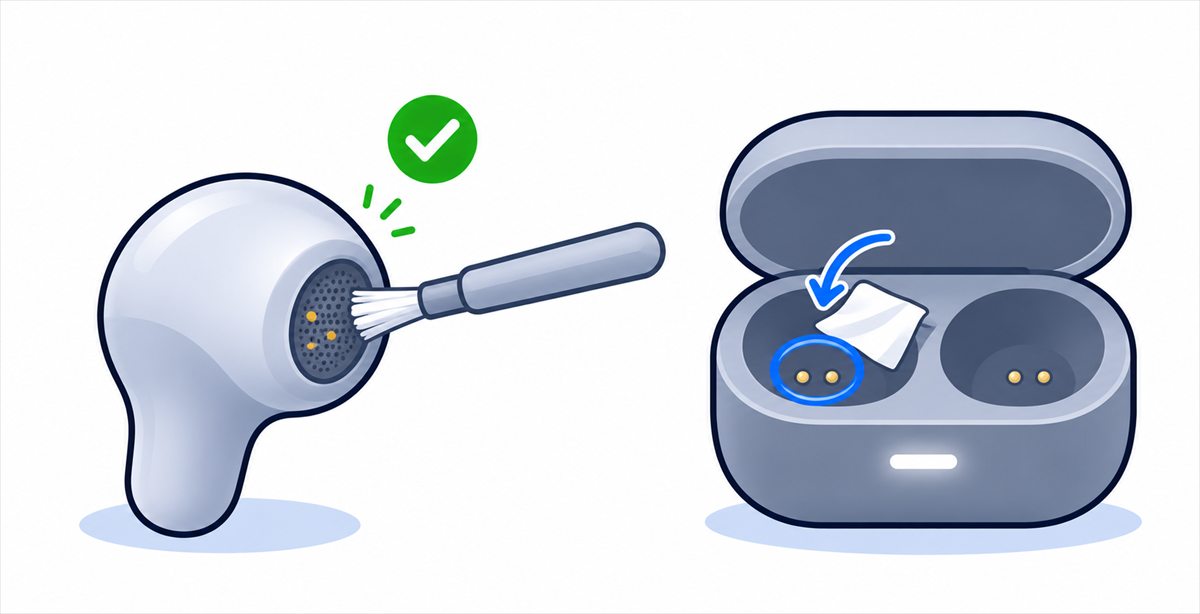
| One earbud is flat or will not charge while the other works | Dirty charging port or contacts, or an uneven charge | Clean the case’s charging port, charge both, put both in the case | Apple, Marshall |
| Sound drops on one side when you move away from the phone or PC | A weak signal or interference, such as a router | Move closer and away from interference | iFixit |
| Wired: one side is silent after you plug the headphones in | A poor connection, which can happen with a dirty plug | Unplug three times, plug in firmly, clean the plug | Sony |
| Sound is the same in both ears but you expected stereo | Mono audio is switched on | Turn off Mono audio on the device | Microsoft, Google |
Check the balance and mono settings
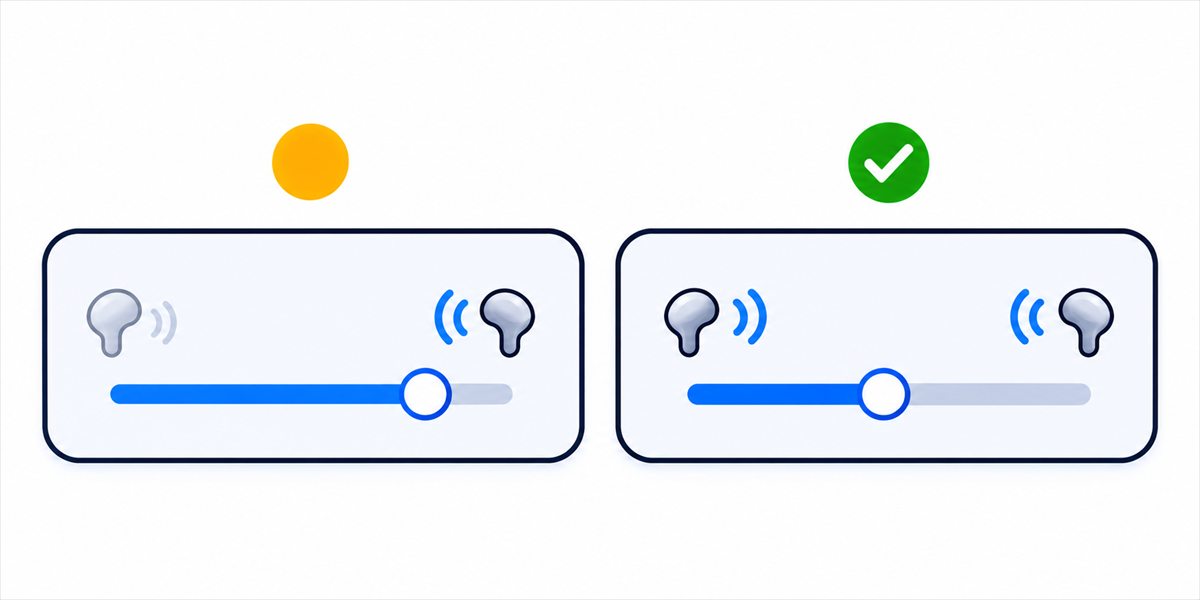
If the balance is pushed to one side, or mono audio is on, one earbud or one side can sound silent or much quieter. Sound travels from the device, so a wrong setting here affects any headphones you connect.
| Device | Where to look | What to set | Source |
|---|---|---|---|
| iPhone or iPad | Settings, Accessibility, Audio & Visual | Move the Balance slider to the middle | Apple, Sony |
| Android | Settings, Accessibility, then Audio Adjustment in the Audio section | Move the Audio balance slider to the center. Google says mono audio and balance are both in Audio adjustment, so check that mono is off. Names vary by phone maker | Sony, Google |
| Windows 11 | Settings, System, Sound, then your headphones under Output | Under Volume, set Left and Right to the same level; turn off Mono audio; set Format to 2 channels, 16 bit, 48000 Hz | Microsoft |
| Mac | System Settings, Sound, Output, then your headphones in the list | Use the Balance slider to bring both sides back to equal | Apple |
Wireless earbuds: fixes in order
- Put both earbuds in the case, close the lid and try again. Marshall and Apple both start here. Apple says to charge them in the case for 30 seconds, then open the case near your phone and test again.
- Charge both earbuds and the case. Apple, Google and Marshall all list a low or uneven charge. On Windows, Microsoft says you can see a device’s battery under Settings, Bluetooth & devices, though some devices do not report it.
- Clean them. Apple says to clean the charging port of the case and, if one AirPod is louder or quieter, to remove the ear tips and check the microphone and speaker mesh. Marshall says to clean the inner side of the earbuds and the wear-detect sensor with a soft, lint-free cloth. Google says to gently brush the mesh and not to insert anything into the holes.
- Test the earbud on its own. For AirPods, Apple says to put the silent AirPod in the correct ear and keep the other one in the closed case, then play audio.
- Disconnect them from other devices and move closer. iFixit lists a second connected device and poor signal, such as interference from a router, as common causes.
- Forget the earbuds and pair them again. Google says to forget them on the device, restart the device, then pair again. Microsoft’s steps for Windows are in the next section.
- Update the firmware. Google says to check that the buds are on the latest firmware. Microsoft says to find the update for your exact model on the maker’s support site, install it, then restart the earbuds and the PC.
- Reset them as a last step. Apple’s reset steps are on its reset page, Marshall suggests a factory reset if nothing else works, and Google points to its own reset steps. A reset removes the pairing, so you will pair them again.
Windows PC: sound from only one earbud
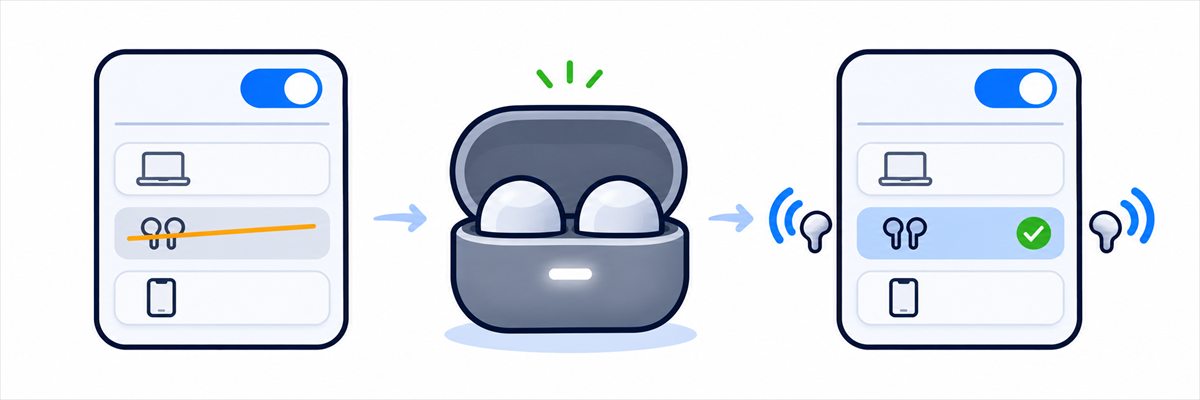
Microsoft says Bluetooth audio that plays in one channel is mainly linked to earbuds that use LE Audio (a newer Bluetooth audio standard), or to earbuds that were paired while only one side was connected. It also says a firmware or software update that adds LE Audio can disturb an existing connection. Its fix is to pair them again with both earbuds ready:
- Open Settings, then Bluetooth & devices, then Devices, and find the earbuds in the Audio section.
- Select Disconnect, then Remove device.
- Put both earbuds in the charging case and start pairing mode as the maker describes.
- Select Add device, then Bluetooth, and choose the earbuds. When Windows asks, connect the second earbud too.
Then check the balance, mono and format settings in the table above. If the problem is also on other Bluetooth devices, Microsoft calls it a PC-side configuration or driver issue and points to the maker’s driver updates. For AirPods on a PC, see our guide to connecting AirPods to a Windows PC.
Wired headphones: plug, jack and cable
- Unplug and plug in again. Sony says to unplug the headphones three times and push the plug in firmly the last time. It says a dirty plug can cause a poor connection, and to clean the plug regularly.
- Turn the volume up on the device. Sony lists a volume set too low as one cause.
- Check the balance setting. Use the table above for your device.
- Look the cable over. Microsoft’s page suggests checking headphones for wear, loose wires or damage.
- Try a second device. Sony says that if the headphones do not play on another device, they may be faulty and need service.
If the headphones play on both sides on another device but not on your computer, the problem is on the computer side. See our guide to headphones not detected on a PC.
Find the support page for your model
| Your headphones | Page to open | What it covers |
|---|---|---|
| AirPods | Apple: If your left or right AirPod isn’t working (published September 14, 2026) | No sound in one AirPod, or one louder or quieter; charging, cleaning, resetting, balance |
| Google Pixel Buds | Google: Fix Google Pixel Buds audio issues | No audio from a left or right earbud; cleaning, charging, firmware, forgetting and pairing again |
| Sony headphones | Sony: no sound or sound only from one side | Plug, volume, balance on Android and iPhone, testing another device |
| Marshall earbuds | Marshall: no sound in one earbud (Motif A.N.C. page, India site) | Case, charging, cleaning the sensor, factory reset |
| Any Bluetooth earbuds on Windows | Microsoft: Fix Bluetooth audio only playing in one channel | Balance, mono audio, format, pairing again, firmware |
| Any headphones on a Mac | Apple: Change the sound output settings on Mac | Output device and the Balance slider |
| Another brand | Your maker’s own support site, searched by your exact model name | Brand-specific steps and reset instructions |
When to stop and contact the maker
If one side stays silent on every device after charging, cleaning, pairing again and a reset, the earbud or headphone itself is the problem. Sony says headphones that do not play on another device may need service, and iFixit says physical damage, including to the internal antenna, means repair or replacement. Apple’s AirPods page ends with a “Need more help?” button, and Google’s page links to a contact page.
More earbud and headset guides
- Headphones not detected on a PC or laptop: if there is no sound at all.
- Headphones sound muffled, crackling or full of static: if both sides play but the sound is dull or noisy.
- How to connect AirPods to a Windows PC: pairing steps and call sound.
- Headphone and headset problems: every fix guide sorted by what you notice.
- All DeskConsensus guides: every guide in one place.
If it is time for a new pair
If the problem follows the headphones to every device, a replacement may be the answer. Our guide covers earbuds and headsets with a mic that work with laptops and PCs, and which connector each one needs.
How we research
For this guide we used support pages from Apple (AirPods and Mac sound settings), Microsoft (Bluetooth audio in one channel), Google (Pixel Buds), Sony (headphones) and Marshall (earbuds), and a community repair wiki from iFixit for a few wireless checks. We do not test products or steps ourselves. The pages describe specific brands, so the guide gives the common steps and links to each maker’s page. Menu names can differ between phones and Windows versions.
Frequently asked questions
Why does only one of my earbuds work?
The usual causes are a low charge on one bud, dirt on the mesh or charging contacts, a pairing that did not connect both sides, or a balance or mono setting on the device. Test the earbuds on a second device first: Sony says that tells you whether the earbuds or the device is at fault.
How do I fix one AirPod not working?
Apple says to charge the case, clean its charging port, put both AirPods in the case and charge them for 30 seconds, then open the case near your iPhone or iPad and test again. If one AirPod is only quieter, check the ear tips and mesh and keep the Balance slider in the middle. Reset them if it still fails.
Why does sound come from only one side of my headphones on Windows?
Microsoft lists the balance, the Mono audio switch, the audio format and a pairing made while only one earbud was connected. Check Settings, System, Sound, and pair the earbuds again with both in the case.
How do I check the balance setting?
On iPhone, open Settings, Accessibility, Audio & Visual and move Balance to the middle. On Android, open Settings, Accessibility, Audio Adjustment. On a Mac, use the Balance slider in System Settings, Sound, Output. On Windows 11, check Left and Right under Volume in Settings, System, Sound.
Can mono audio make one earbud seem silent?
Microsoft says to turn off the Mono audio toggle when Bluetooth audio plays in one channel, and Google lists mono audio next to balance in Android’s Audio adjustment. Check that it is off on your device.
How can I tell if the headphones or the device is the problem?
Connect the same headphones to another device. Sony says that if sound plays there the first device may be at fault, and if not, the headphones may need service. Microsoft gives the same test for Bluetooth headsets.
Can a dirty plug cause sound in only one ear?
Sony says a poor connection, which can happen when the plug is dirty, is a cause of sound from only one side, and it suggests unplugging the headphones three times and plugging them in firmly the last time.
Should I reset my earbuds?
Only after charging, cleaning and pairing them again. Apple, Google and Marshall each describe a reset or factory reset as the later step, and it removes the pairing, so you will connect them again afterward.
Written by