
Best Headphones and Earbuds for Chromebook: Picks for Students and Parents
Disclosure: As an Amazon Associate, we earn from qualifying purchases. This costs you nothing extra and does not change which products we pick. Read our disclosure.
Chromebooks are the laptop many students use at school and at home, and the question parents and students ask is simple: which headphones or earbuds should we buy? Most standard wired or Bluetooth headphones should work, so this guide focuses on what matters for school: a mic that works for class calls, a comfortable and durable fit, and, for younger children, a volume limit.
We compare five picks, point out the two that Logitech lists as Works With Chromebook, and flag the drawbacks reviewers found.
How we researched this
We don’t test products ourselves. This guide combines manufacturer specs, Google’s own Chromebook help pages and reviews from SoundGuys, TechGearLab, RTINGS and Android Central. We did not find a test of these products on a Chromebook, so compatibility rests on Google’s and the makers’ statements. See the full method.
Quick answer
Most headphones and earbuds with a standard headphone jack, USB connection or Bluetooth work with a Chromebook.
For school, our top pick is the Logitech Zone Learn headset, which Logitech lists as Works With Chromebook and SoundGuys calls a great choice for virtual classrooms. For younger kids, the Puro JuniorJams Plus adds a built-in mic and a stated 85 dBA volume limit (decibels; lower is quieter). Need a headset for a laptop or PC instead? See our earbuds and headsets with a mic for laptops and PCs guide.
Jump to your situation
Best for school
Logitech Zone Learn
A school-focused wired headset with a boom mic, replaceable parts and a Works With Chromebook listing from Logitech.
Price band: $30–$60
Best for younger kids
Puro Sound Labs JuniorJams Plus
Volume-limited kids’ headphones with a built-in mic, Bluetooth and an included 3.5 mm cable.
Price band: $60–$100
Best wireless earbuds
Google Pixel Buds 2a
Standard Bluetooth earbuds from Google with noise canceling; SoundGuys and TechGearLab say calls are fine in quiet rooms.
Price band: $100–$150
Top picks compared
| Product | Connector | Mic type | Price band | Main drawback | Best for | Link |
|---|---|---|---|---|---|---|
| Logitech Zone Learn Top pick | Wired over-ear; USB-C cable version (Logitech also lists a 3.5 mm cable) | Boom mic | $30–$60 | Sound quality is the weak point; boom mic picks up classroom noise | Students who need a durable headset for class and calls | Check price on Amazon (opens in a new tab) |
| Logitech H390 | USB-A (a USB-C version also exists) | Rotating boom mic | Under $25 | No independent mic test; wired USB only | Older students and home use at a low price | Check price on Amazon (opens in a new tab) |
| Puro Sound Labs JuniorJams Plus | Bluetooth 5.1 plus included 3.5 mm cable | Built-in mic | $60–$100 | Sized for younger kids; no independent mic test | Younger children who need a mic and a volume limit | Check price on Amazon (opens in a new tab) |
| JBL Endurance Run 3 (wired) | 3.5 mm jack (per the Amazon listing) | In-line mic and remote (per JBL) | Under $30 | Lab test covers the earlier Run 2; cord noise | Teens who want cheap wired earbuds with a mic | Check price on Amazon (opens in a new tab) |
| Google Pixel Buds 2a | Bluetooth 5.4 (works with Fast Pair on supported Chromebooks) | Two mics | $100–$150 | Calls weaker in noise; pricey | Older students who want wireless earbuds | Check price on Amazon (opens in a new tab) |
Logitech Zone Learn: best headset for school
Connector: Wired over-ear; USB-C cable version (Logitech also lists a 3.5 mm cable)Mic: Boom micPrice band: $30–$60
The Zone Learn is a headset built for classrooms. SoundGuys says it is aimed at schools and also suits parents buying for kids, and that its boom mic makes it great for virtual classrooms. Logitech says it is designed for smaller head sizes, lists it as Works With Chromebook, and says it is drop-tested to 4 feet. Check that the listing you order includes the cable your Chromebook needs: this link is the USB-C cable version. For other headphones that reviewers say fit smaller heads, see our guide to headphones for small heads.
Pros
- Logitech lists it as Works With Chromebook
- SoundGuys found it comfortable, with a boom mic that sounds clear and natural
- Replaceable ear pads and cables, per SoundGuys and Logitech
- Logitech says it is drop-tested to 4 feet (MIL-STD-810G, a US military durability test standard) with a 3-year warranty on the headset
- Sized for kids and adults, per SoundGuys
Cons
- Sound quality is the weak point, per SoundGuys
- The boom mic can pick up classroom noise such as loud keyboards, per SoundGuys
- Over-ear cups block moderate noise but not like active noise canceling, per SoundGuys
- SoundGuys reviewed it in 2023, so check the current version and cable
Who should skip it
Skip it if you want earbuds, wireless use or active noise canceling.
What the reviewers say
SoundGuys’ review (April 2023) says the Zone Learn is comfortable, that several parts are replaceable, and that its microphone makes it great for virtual classrooms. It also says the only big misstep is the sound quality, that the boom mic can pick up classroom noise such as clicky keyboards, and that some older computers may need a TRRS-to-TRS adapter (it changes the plug type) for the mic to connect correctly when using the 3.5 mm cable. Logitech’s page describes the headset as designed for smaller head sizes with swappable ear pads and cables, and Logitech’s Works With Chromebook page lists it. We did not find a lab-measured mic test.
Logitech H390: best low-cost USB headset
Connector: USB-A (a USB-C version also exists)Mic: Rotating boom micPrice band: Under $25
The H390 is a simple wired USB headset with a noise-canceling boom mic and in-line volume and mute controls. Logitech lists it as Works With Chromebook. It suits older students and home use at a low price. This listing is the USB-A version, so check that your Chromebook has a USB-A port, or choose the USB-C version. It is also one of the picks in our laptop and PC headset guide.
Pros
- Logitech lists it as Works With Chromebook, per its product page
- Noise-canceling mic on a boom, per Logitech
- In-line volume and mute controls
- Plug-and-play USB connection
- 2-year warranty, per Logitech
Cons
- We found no independent mic test, so the mic claims are Logitech’s
- Wired only, and this listing needs a USB-A port; the USB-C version is sold separately
- Not marketed for kids’ head sizes the way the Zone Learn is
Who should skip it
Skip it if you want earbuds, wireless use or a headset designed for smaller heads.
What the reviewers say
Logitech’s product page says the H390 is compatible with Windows, macOS and ChromeOS and is certified for Works With Chromebook, and describes a noise-canceling mic with a long boom and in-line controls. It comes in USB-A and USB-C versions. We did not find an independent review that tests its mic, so treat the mic description as the manufacturer’s. For more USB headsets, see our guide to the best USB headsets for work and calls.
Puro Sound Labs JuniorJams Plus: best volume-limited pick for younger kids
Connector: Bluetooth 5.1 plus included 3.5 mm cableMic: Built-in micPrice band: $60–$100
The JuniorJams Plus are on-ear Bluetooth headphones for kids. Puro states an 85 dBA volume limit and a built-in microphone for online learning, and includes a 3.5 mm cable for wired use when the battery is dead. Android Central named them the best headphones for young kids in its Chromebook accessories list for students. Puro says this size suits younger children, so check the sizing for older kids.
Pros
- Puro states an 85 dBA volume limit
- Built-in mic for online learning, per Puro
- Bluetooth plus an included 3.5 mm cable for wired use
- USB-C charging and up to 22 hours of playback, per Puro
- Android Central’s pick for young kids
Cons
- Puro says this size suits younger children, so it may be too small for older kids
- Independent measurements of volume limiters vary by model and connection (see below)
- We found no independent test of its mic
Who should skip it
Skip it if your child is older and needs a larger headset, or you want a plain wired headset at a lower price.
What the reviewers say
Puro’s page states an 85 dBA limit, a built-in microphone, Bluetooth and a 3.5 mm cable. Android Central (July 2025) picks it as the best headphones for young kids in its student accessories list. Volume limits are not all independently verified: RTINGS measured a 95 dB maximum on an older JuniorJams model in 2020, and SoundGuys found that the Puro BT2200 reached about 103 dB over a wired connection (review from April 2023). Those are different models, so they say nothing certain about this one, but they are a reason to keep the volume reasonable whatever the box says.
JBL Endurance Run 3 (wired): best wired earbuds for teens
Connector: 3.5 mm jack (per the Amazon listing; JBL also sells a USB-C version)Mic: In-line mic and remote (per JBL)Price band: Under $30
The Endurance Run 3 is JBL’s current in-ear sport headphone with a cable. JBL lists an in-line microphone and remote for hands-free calls, an IP65 rating (dust-tight and protected against water jets), a 20 Hz to 20 kHz frequency response and a FlipHook design that lets you wear the earbuds in the ear or behind the ear. JBL’s page does not give a mic test or state the plug type: the Amazon listing describes a 3.5 mm jack, and JBL also sells a separate Endurance Run 3 USB-C model, so check the version you order. The only lab test of the mic we found is TechGearLab’s of the earlier Endurance Run 2, which TechGearLab says JBL updated to the Run 3.
Pros
- Standard 3.5 mm plug, no pairing or charging
- Good call quality for the price in TechGearLab’s test of the Run 2, the model JBL says it updated
- In-line mic and remote for hands-free calls, per JBL
- FlipHook design: wear them in the ear or behind the ear, per JBL
- IP65 dust and water resistance, per JBL
Cons
- JBL gives no mic test, and the only lab test we found (TechGearLab) is of the earlier Run 2, so the mic findings are for that model
- JBL’s page does not state the plug type, and JBL also sells a USB-C version, so check the listing before you order
- The Run 2 was noisy when the cord rubbed or bounced, which TechGearLab called its major downside
- The Run 2 tended to slip out of the ear with big facial expressions, per TechGearLab
- Needs a headphone jack, or an adapter on a USB-C-only Chromebook
Who should skip it
Skip this version if your Chromebook has no headphone jack (JBL also sells an Endurance Run 3 USB-C model, described in the reviewer notes below) or you want wireless earbuds.
What the reviewers say
JBL’s product page lists the Endurance Run 3 with a built-in microphone, an in-line remote, an IP65 rating (dust-tight and protected against water jets) and three sizes of ear tips in the box. It gives no mic test and does not state the plug type, so we rely on the Amazon listing for the 3.5 mm jack. JBL also sells a separate Endurance Run 3 USB-C model, which we did not review. The only lab test of the mic we found is TechGearLab’s review of the earlier Endurance Run 2, which TechGearLab says JBL updated to the Run 3. It says the call quality is really good for the price and that the mic holds its own in busy cafes and on a subway, with a little more noise than the top models. It calls the cord noise the major downside for exercise and says the buds suit stationary tasks, which is how most students use them, and that they can slowly slip out of the ear with big facial expressions. We did not find a separate test of the Run 3’s mic, so it may differ from the Run 2’s.
Google Pixel Buds 2a: best wireless earbuds for older students
Connector: Bluetooth 5.4 (works with Fast Pair on supported Chromebooks)Mic: Two micsPrice band: $100–$150
The Pixel Buds 2a are standard Bluetooth earbuds that Google says pair with any Bluetooth 4.0 or newer device, including laptops. Google’s Chromebook help page lists Pixel Buds in its pairing tip, and supported Chromebooks can use Fast Pair (quick one-tap pairing). SoundGuys and TechGearLab say calls sound fine in quiet rooms and weaker in noise.
Pros
- Pair with any Bluetooth 4.0 or newer device, per Google
- Two mics and active noise canceling, per Google
- Multipoint (connects to two devices at once), per SoundGuys
- Clear voices in a quiet office, per TechGearLab
- Fast Pair on supported Chromebooks, per Google’s help page
Cons
- Calls get muddled in loud places, per TechGearLab
- Google quotes up to 10 hours of battery, while TechGearLab’s longest run with noise canceling off was 6 hours 45 minutes
- Super Wideband (higher-quality call audio) and the Gemini features need a compatible Android phone
- Much more expensive than a wired headset
Who should skip it
Skip it if you want the lowest cost, a volume limit for a young child, or a durable school headset.
What the reviewers say
Google’s spec page says the Pixel Buds 2a pair with any Bluetooth 4.0 or newer device, including laptops, and list two microphones and Bluetooth 5.4. SoundGuys says calls are workable, with some incidental noise getting through in its lab mic samples. TechGearLab found both voices clear in a quiet to busy office but muddled in a loud subway station, and measured a longest runtime of 6 hours 45 minutes with noise canceling off. Neither review tested them on a Chromebook.
Verdict
For most students, the Logitech Zone Learn is the pick: SoundGuys says its mic suits virtual classrooms, and Logitech lists it as Works With Chromebook. Younger kids who need a mic and a volume limit can look at the Puro JuniorJams Plus, keeping in mind that limiter claims are not all independently verified. For a low-cost USB headset, Logitech also lists the H390 as Works With Chromebook, and older students who prefer earbuds can choose the wired JBL Endurance Run 3 or the wireless Google Pixel Buds 2a.
Buying guide: what parents and students should check
Most headphones should work with a Chromebook, so this section sticks to what matters for school.
Will it work on a Chromebook?
Most likely yes. Google’s Chromebook help lists headsets and microphones among the peripherals Chromebooks can use, and says that for best results you can look for peripherals that are certified Works With Chromebook. Google also says Bluetooth headphones and headsets work if your Chromebook has Bluetooth. The Logitech Zone Learn and H390 are listed by Logitech as Works With Chromebook. For plug types and compatibility in more detail, see our laptop and PC headset guide. Connecting AirPods? See how to connect AirPods to a Chromebook.
Headset or earbuds for school?
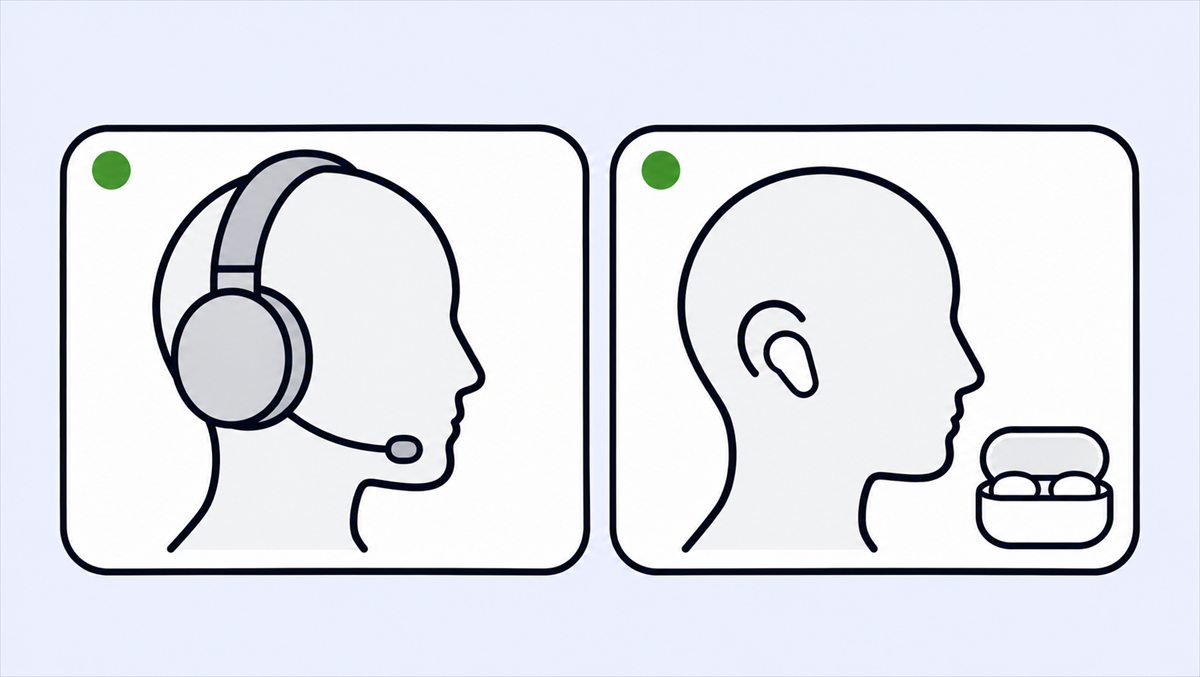
A headset with a boom mic, like the Zone Learn or H390, keeps the mic near the mouth, and SoundGuys calls the Zone Learn’s boom mic ideal for virtual classrooms. Earbuds are smaller and easier to carry, which suits older students, though wireless pairs cost more. (Using wireless earbuds with a Windows or Mac laptop instead? See our guide to wireless earbuds for a computer or laptop.) For younger children, a headset sized for kids is usually the simpler choice; Logitech says the Zone Learn is designed for smaller head sizes.
What should parents know about volume limits?
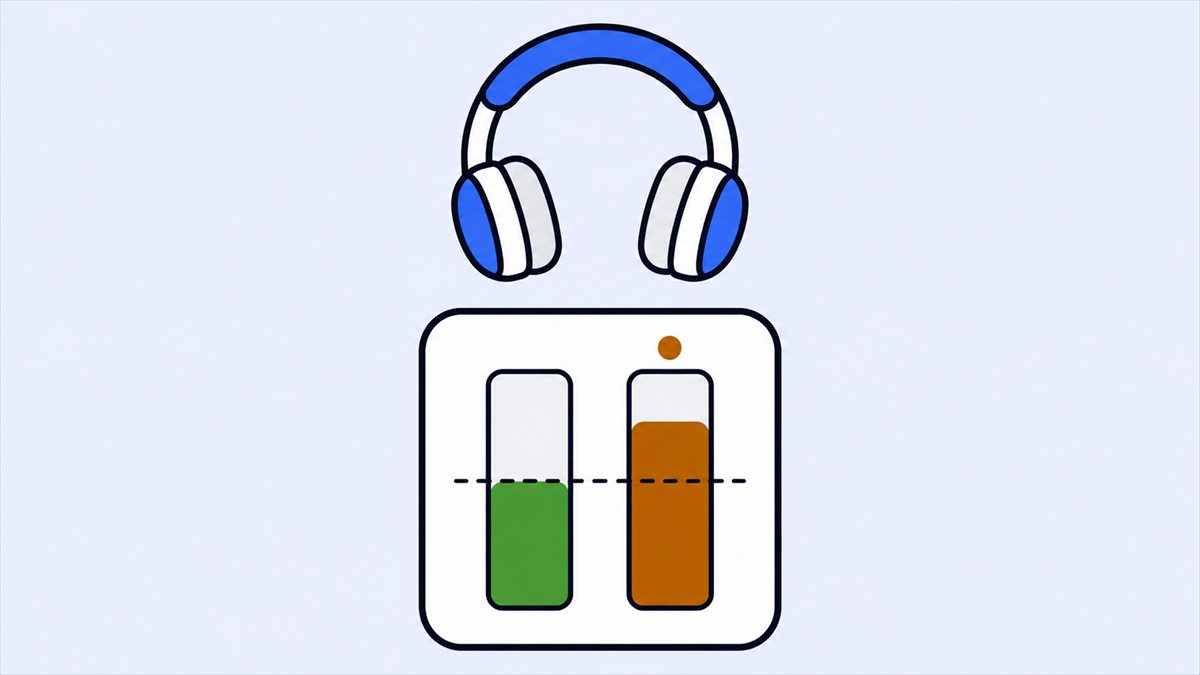
Some kids’ headphones, such as the Puro JuniorJams Plus, state a maximum volume of 85 dBA. Independent tests do not always confirm the number: RTINGS measured 95 dB on an older Puro model, and SoundGuys found the Puro BT2200 reached about 103 dB over a wired connection (review from April 2023). A limiter helps, but it is no guarantee, so it is still worth keeping the volume reasonable.
Should you ask the school first?
If your child uses a school-issued Chromebook, it is worth a quick check. Google’s help page notes that on a work or school Chromebook some devices might not work, and that your administrator can help.
What about Googlebooks?
Google announced Googlebook, a new laptop category built around Android, in May 2026, according to Android Central. Google told Android Central it plans to offer migration options for many devices over time, but not every Chromebook will be eligible. Google’s Googlebook help says Bluetooth headphones and headsets connect to them. We have not found guidance on wired headsets for Googlebooks, so check the maker if you are buying one.
If the mic or sound is not working on a Chromebook
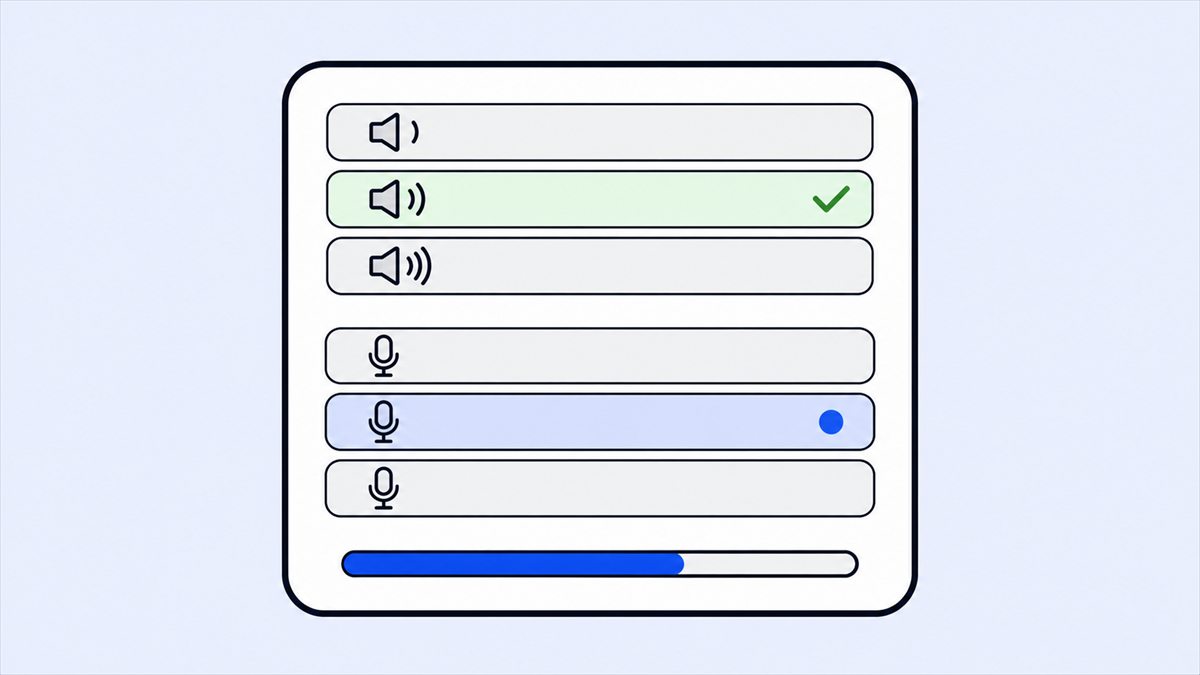
- Open the audio settings. Per Google, select the time at the bottom right, then Audio settings. Under Output, the device in use has a green check; under Input, choose your headset’s mic.
- Check the mic level and test it. In Settings, Device, Audio, you can adjust the Input volume and run a mic test, according to Google.
- Bluetooth earbuds will not connect? Google suggests checking for system updates, turning Bluetooth off and on, restarting the Chromebook, and as a last step a hard reset.
- Pair manually if the pop-up does not appear. Select the time, then Bluetooth, then Pair new device, with the earbuds in pairing mode, per Google.
- On a school Chromebook, some devices may be blocked. Ask the school’s administrator, as Google suggests.
How we research
For this guide we compared manufacturer specs, Google’s Chromebook help pages and reviews from SoundGuys, TechGearLab, RTINGS and Android Central. We do not test products ourselves, and we say where the evidence is thin. We look for reviewers who bought the product themselves and were not sponsored, and we use sponsored reviews as little as possible.
Frequently asked questions
Can you use earbuds with a Chromebook?
Yes. Google says Chromebooks work with headsets and Bluetooth headphones. Use the headphone jack or a USB connection for wired earbuds, or pair Bluetooth earbuds through Settings.
How do you connect Bluetooth earbuds to a Chromebook?
Select the time at the bottom right, turn Bluetooth on, choose Pair new device, put the earbuds in pairing mode and select them, per Google’s Chromebook help.
What does Works With Chromebook mean?
It is a Google program. Google says certified peripherals have been tested to meet Chromebook compatibility standards, and suggests looking for the label for best results. Products without it should also work.
Which headphones are best for a school Chromebook?
For school, a headset built for classrooms such as the Logitech Zone Learn is our pick, because SoundGuys says its boom mic suits virtual classes and Logitech lists it as Works With Chromebook.
Are there volume-limited headphones for kids?
Yes. The Puro JuniorJams Plus states an 85 dBA limit. Independent tests of limiters vary, so keep the volume reasonable.
Can my child use their own earbuds on a school Chromebook?
Ask the school. Google notes that on a school Chromebook some devices might not work and that the administrator can help.
Written by