
Ideal Monitor Height and Distance: How to Measure and Set Yours
The usual advice is to put the top of your screen at eye level and about an arm’s length away, but the government safety pages that give numbers say more than that, and the sellers who repeat the advice do not always agree with them. OSHA, the US Occupational Safety and Health Administration, gives a distance range, a height rule for the top of the screen and an angle for the center of it.
This guide puts OSHA’s numbers next to those of CCOHS (the Canadian Centre for Occupational Health and Safety) and the UK Health and Safety Executive (HSE), and shows where seller pages differ. It also gives you a tape-measure worksheet and a reference list that turns degrees into inches, so you can set your own monitor instead of guessing.
How we researched this
We don’t test products or setups ourselves. The numbers come from OSHA’s monitors page and its working postures page, the CCOHS page on positioning the monitor (revised November 29, 2022) and its page on computer glasses, and the UK HSE page on good posture. We also read five seller pages, named below, and checked them against those sources. See the full method.
Quick answer
Put the monitor directly in front of you, 20 to 40 inches from your eyes, with the top of the screen at or slightly below eye level and the center of the screen 15 to 20 degrees below it. That is OSHA’s guidance. At 25 inches away it puts the center of the screen about 6.7 to 9.1 inches below your eyes. OSHA says to tilt the screen no more than 10 to 20 degrees, and both OSHA and CCOHS say people who wear bifocals or progressive lenses may do better with the screen a little lower. The steps and lists below turn this into your own measurements.
The numbers OSHA, CCOHS and HSE give
Three public safety bodies describe monitor placement. OSHA’s Computer Workstations eTool gives the most numbers. CCOHS (its fact sheet was last revised November 29, 2022 and confirmed current on July 21, 2025) uses an angle and says “arm’s length” for distance. The UK HSE (page updated March 20, 2025) gives a short rule with no measurements. OSHA’s page shows no date.
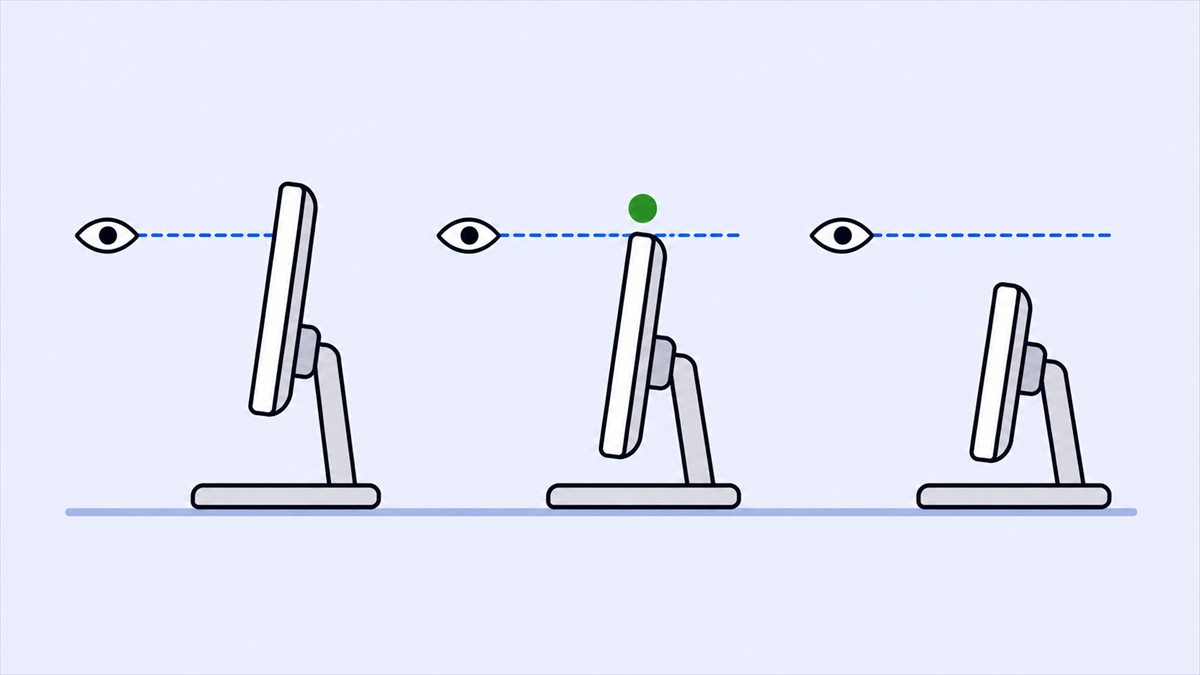
- Top of the screen. OSHA: At or slightly below eye level. CCOHS: For tall or portrait screens, not higher than eye level. UK HSE: Level with the eyes.
- Center of the screen. OSHA: Normally 15 to 20 degrees below horizontal eye level. CCOHS: About 15 degrees below the horizontal, or slightly lower. UK HSE: Not stated.
- Distance from your eyes. OSHA: 20 to 40 inches (50 to 100 cm); at least 20 inches in its quick tips. CCOHS: About an arm’s length, with no inch figure. UK HSE: About an arm’s length, with no number.
- Screen tilt. OSHA: Perpendicular to your line of sight, usually tilting no more than 10 to 20 degrees. CCOHS: Not stated. UK HSE: Not stated.
- Left and right. OSHA: Not farther than 35 degrees to either side of straight ahead. CCOHS: Not stated. UK HSE: Screen and keyboard central, so you do not twist your back.
- Bifocals and progressive lenses. OSHA: Lower the monitor, raise the chair, or use single-vision lenses made for computer work. CCOHS: Placing the top of the monitor slightly below eye level may be more comfortable. UK HSE: Not stated.
- Two or more monitors. OSHA: Not mentioned. CCOHS: At the same height: eye level, or slightly lower with corrective lenses. UK HSE: Not stated.
Two details are worth knowing. OSHA puts the eye-level rule on the top of the screen and the angle on the center, so the two together depend on how tall your screen is (the next sections show how). And CCOHS is not consistent with itself on how far below eye level is acceptable: its text extends the zone to a total of 45 degrees, while the caption on its figure says “30° acceptable zone”.
OSHA also says the downward viewing angle to any part of the screen should never be greater than 60 degrees, in any of its four reference postures (upright sitting, declined sitting, reclined sitting and standing), and that very large monitors and the reclined posture can increase it. If you work at a standing desk, repeat the measurements below while standing.
Measure your own height and distance
Guessing is how a screen ends up too high or too low. This method is ours, built on the OSHA numbers above, and needs a tape measure and a second person or a mark on the wall. Sit the way you actually work, with your keyboard where you use it.
- Your eye height. Measure from the desk surface up to the corner of your eye. Call it E.
- Your screen’s top. Measure from the desk surface to the top edge of the visible picture. Call it T. If T is bigger than E, the top of the screen is above your eyes, which is higher than OSHA’s rule.
- Your screen’s height. Measure the visible picture from bottom to top, or use the screen sizes below. Call it H.
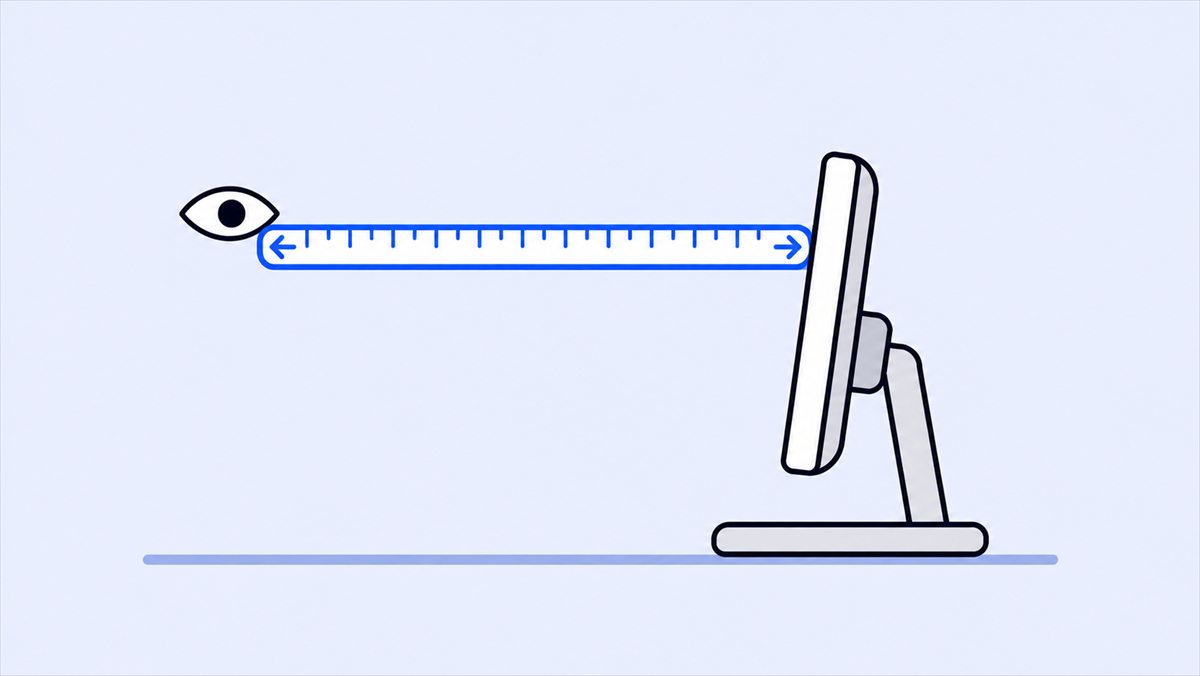
- Your distance. Measure from your eye to the front of the screen. Call it D. OSHA’s range is 20 to 40 inches; if you are under 20, move the screen back.
- How far below your eyes the center sits. The center of the screen is at T minus half of H. Subtract that height from E and call the result C.
- Compare. OSHA wants C to be about D times 0.27 (15 degrees) up to D times 0.36 (20 degrees), and T not above E. The next section has the figures worked out.
These are made-up numbers to show the arithmetic; use your own. Say your eyes are 17 inches above the desk, your screen is a 27-inch 16:9 monitor (13.2 inches tall) and it sits 25 inches from your eyes. A stand puts the bottom edge 6 inches above the desk, so T is 19.2 inches, which is 2.2 inches above your eyes. The center is at 12.6 inches, so C is 4.4 inches, or about 10 degrees below your eyes. Both numbers are off OSHA’s guidance: the top is too high and the center is not low enough.
To land in OSHA’s 15 to 20 degree band at 25 inches, C needs to be 6.7 to 9.1 inches, which puts the center of the screen 7.9 to 10.3 inches above the desk and the bottom edge 1.3 to 3.7 inches above the desk. The top of the screen then sits 14.5 to 16.9 inches above the desk, at or below your eyes. In this example the stand has to come down about 2.3 to 4.7 inches, or the screen has to sit lower on it.
Turn degrees into inches
OSHA gives the center-of-screen angle in degrees, which a tape measure cannot read. This list is our own arithmetic: the drop below your eyes is your distance multiplied by a fixed number for each angle (0.268 for 15 degrees and 0.364 for 20 degrees, the tangent of the angle). It assumes you look straight ahead at a flat screen.
- At 20 inches from your eyes. Center 15 degrees below: 5.4 inches. Center 20 degrees below: 7.3 inches.
- At 25 inches from your eyes. Center 15 degrees below: 6.7 inches. Center 20 degrees below: 9.1 inches.
- At 30 inches from your eyes. Center 15 degrees below: 8.0 inches. Center 20 degrees below: 10.9 inches.
- At 40 inches from your eyes. Center 15 degrees below: 10.7 inches. Center 20 degrees below: 14.6 inches.
Your screen’s size decides whether the top-of-screen rule or the center angle is the stricter one. A 16:9 screen is about 0.49 times its diagonal tall. If the top of the screen is to sit at or below your eyes, the center has to sit at least half the screen height below them.
- 24-inch screen (16:9). Height of the picture: 11.8 inches. Half the height: 5.9 inches.
- 27-inch screen (16:9). Height of the picture: 13.2 inches. Half the height: 6.6 inches.
- 32-inch screen (16:9). Height of the picture: 15.7 inches. Half the height: 7.8 inches.
At 25 inches and 15 degrees the center sits 6.7 inches below your eyes. A 24-inch screen then has its top 0.8 inch below eye level, a 27-inch screen has its top 0.1 inch below, and a 32-inch screen has its top 1.1 inches above. For the 32-inch screen to follow OSHA’s top-of-screen rule at 25 inches, its center has to sit about 7.8 inches below your eyes, which is about 17 degrees and still inside OSHA’s 15 to 20 degree range. Ultrawide and curved screens have different proportions, so measure yours.
Where seller pages disagree
Seller and manufacturer blogs repeat the same advice with small differences, and some of the differences matter when you measure.
- Top of the screen or top third. Haworth’s store blog (July 9, 2025) gives a rule of thumb that the top third of the screen should be at eye level, and Branch Furniture (October 15, 2023) says the same. HP (October 23, 2026) and Kensington (December 11, 2018) say the top of the screen at or slightly below eye level, as OSHA does. OSHA’s page has no top-third wording, so a screen set by the top-third rule sits lower than one set by OSHA’s.
- Distance. OSHA and Kensington give 20 to 40 inches. Branch Furniture says an arm’s length, roughly 20 to 30 inches. ViewSonic (October 16, 2025) gives roughly 50 to 70 cm (about 20 to 28 inches) in its FAQ. Haworth says at least 20 inches. CCOHS and HSE say an arm’s length with no figure.
- How far down. ViewSonic’s FAQ says the center of the screen should sit around 30 degrees below eye level, against OSHA’s 15 to 20 degrees and CCOHS’s 15 degrees or slightly lower.
- Tilt. Branch Furniture gives 10 to 20 degrees back, the same as OSHA. Haworth, HP and Kensington give no angle.
None of these pages tested their advice, and the seller pages are written by companies that sell monitor stands, arms or furniture. Where a seller and a safety body differ, this guide uses the safety body’s number and says so.
Glasses, bifocals and progressive lenses
OSHA says people with bifocals typically look through the lower part of the lens, which leads them to tilt the head back. Its suggestions are to lower the monitor below the usual recommendation and tilt the screen up toward you, to raise the chair (and possibly the keyboard, with a footrest), or to use single-vision lenses made for computer work. CCOHS says people with bifocals, trifocals or progressive lenses may find the top of the monitor slightly below eye level more comfortable, because the lower part of the lens is used for close vision.
The CCOHS page on computer glasses (last revised December 17, 2024) adds that bifocals are not necessarily designed for computer work, names single-vision, bifocal, trifocal and progressive lenses, and says no one type of computer glasses fits everyone. It recommends talking to an eye specialist. This guide cannot say which lens suits you, and the measurements above are a starting point to adjust, not advice about your eyes.
Laptops and two monitors
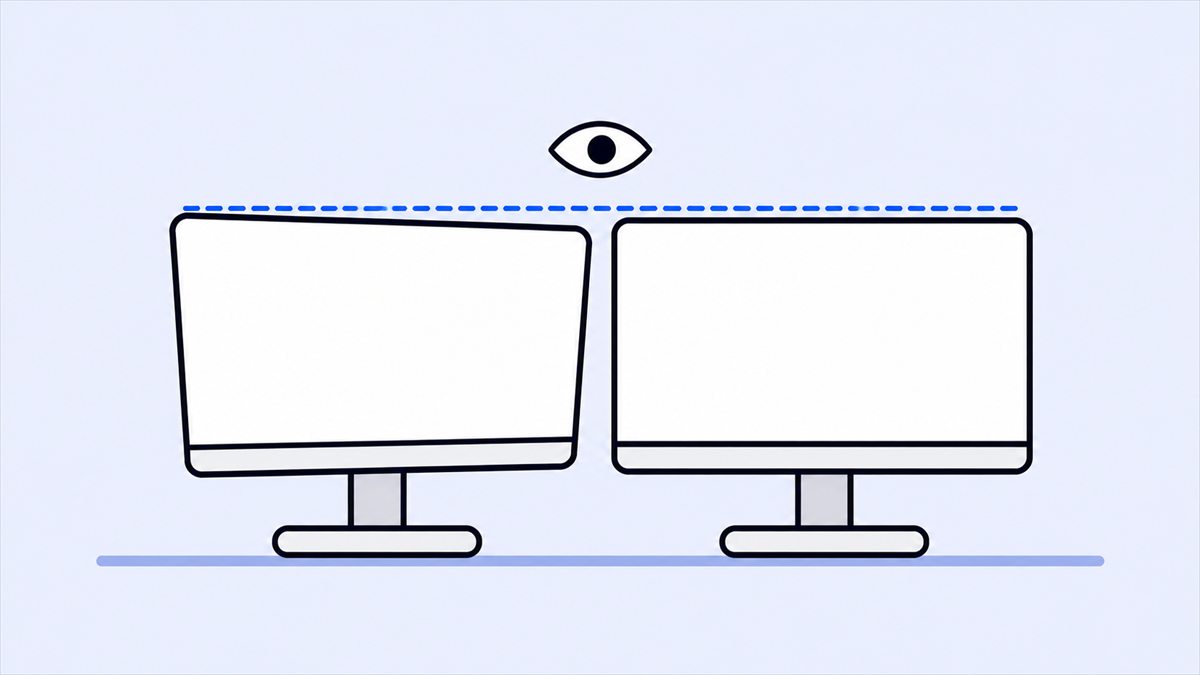
Two monitors. CCOHS says to place them at the same height, at eye level or slightly lower if you wear corrective lenses. HP says to put the screen you use most in front of you and angle the others inward, and OSHA says no monitor should be farther than 35 degrees to the left or right of straight ahead. OSHA’s monitors page does not mention multiple screens.
Laptops. We found no laptop page in OSHA’s workstation eTool or in the CCOHS office ergonomics list (checked November 22, 2026), and HSE says its screen rules cover laptops but gives no laptop figures. The following is our own reasoning, not a figure from those bodies: a laptop’s screen is attached to its keyboard, so lifting the screen toward eye level also lifts the keyboard. Haworth’s store blog says a laptop without a stand leaves the screen too low. To use the numbers above you would need the screen raised and a separate keyboard and mouse at elbow height.
How to change the height or the distance
Once you know your numbers, there are four ways to move the screen. Check each against your measurements before you buy anything.
- The monitor’s own stand. Many stands raise, lower and tilt the screen. Use the numbers in the worksheet to set it.
- Lower it. If the screen is too high, remove a riser or a stand base you added, or take the monitor off a stack of books. OSHA says a monitor should not sit on top of the computer case, which will raise it too high for all but the tallest users.
- Raise it. A riser or an arm adds height. Our measurement for how much lift you can use is in the guide linked below.
- Move the desk or the chair. Raising the chair lifts your eyes, which can fix a screen that is too low; check that your feet and keyboard still work. Our guide to adjusting an office chair covers the order and the numbers.
Tilt is the last adjustment. OSHA says to tilt the screen to be perpendicular to your line of sight, usually no more than 10 to 20 degrees, and warns that tilting it back may create glare from ceiling lights. Our guide to glare on a computer monitor covers that. Keyboard height is a separate step: OSHA says to keep your elbows about the same height as the keyboard, and our guide to under-desk keyboard trays shows how to measure that.
Distance is the other number. If text is hard to read at your distance, OSHA says text size may need to be increased for smaller monitors, and CCOHS says to increase the font size rather than move closer. The monitor is one step in a chain, and our guide to the whole ergonomic desk setup puts the steps in order.
Need to raise the screen?
If your measurements say the screen needs to go up, our monitor riser guide shows how to work out the most lift you can use, and what six risers state about their heights and weight limits.
How we research
For this guide we used OSHA’s Computer Workstations eTool pages on monitors and working postures (neither shows a date). We also used the CCOHS fact sheets on positioning the monitor (last revised November 29, 2022, confirmed current July 21, 2025) and on computer glasses (last revised December 17, 2024), and the UK HSE page on good posture (updated March 20, 2025). The seller pages are from HP, Kensington, Haworth, ViewSonic and Branch Furniture, with the dates named above. We do not test setups ourselves and we do not claim that any height or distance prevents or relieves discomfort. The conversions from degrees to inches and from screen diagonal to picture height are our own arithmetic, and the example numbers are made up.
Frequently asked questions
How high should my monitor be?
OSHA says the top of the monitor should be at or slightly below eye level and the center of the screen normally 15 to 20 degrees below horizontal eye level. CCOHS says about 15 degrees below the horizontal or slightly lower. At 25 inches from your eyes, 15 to 20 degrees is a drop of about 6.7 to 9.1 inches to the center of the screen.
How far should a monitor be from my eyes?
OSHA says the preferred distance is 20 to 40 inches (50 to 100 cm), and at least 20 inches. CCOHS and the UK HSE say about an arm’s length without giving a figure. If text is hard to read, OSHA says to increase the text size for smaller monitors.
Should the top of the screen or the middle be at eye level?
OSHA says the top of the monitor at or slightly below eye level, and the center 15 to 20 degrees below it. Haworth and Branch Furniture say the top third of the screen at eye level, which OSHA does not say. For a large screen the top-of-screen rule is the stricter one.
Should I tilt my monitor?
OSHA says to tilt the screen to be perpendicular to your line of sight, usually by no more than 10 to 20 degrees, and warns that tilting it back may create glare from ceiling lights. CCOHS gives no tilt angle.
Where should my monitor be if I wear bifocals or progressive lenses?
OSHA suggests lowering the monitor below the usual recommendation, raising the chair, or using single-vision lenses made for computer work. CCOHS says the top of the monitor slightly below eye level may be more comfortable. Both say the lens type matters, so ask an eye specialist.
How high should a second monitor be?
CCOHS says multiple monitors should be at the same height, at eye level or slightly lower if you wear corrective lenses. OSHA says no monitor should be more than 35 degrees to the left or right of straight ahead.
Is an arm’s length the same as 20 to 40 inches?
Not exactly. OSHA gives 20 to 40 inches and CCOHS gives only “arm’s length”. Seller pages put an arm’s length at roughly 20 to 30 inches (Branch Furniture) or 50 to 70 cm (ViewSonic). Measure from your eye to the screen rather than relying on your arm.
Written by