
Bias Lighting for a Monitor: What It Is and How to Set It Up
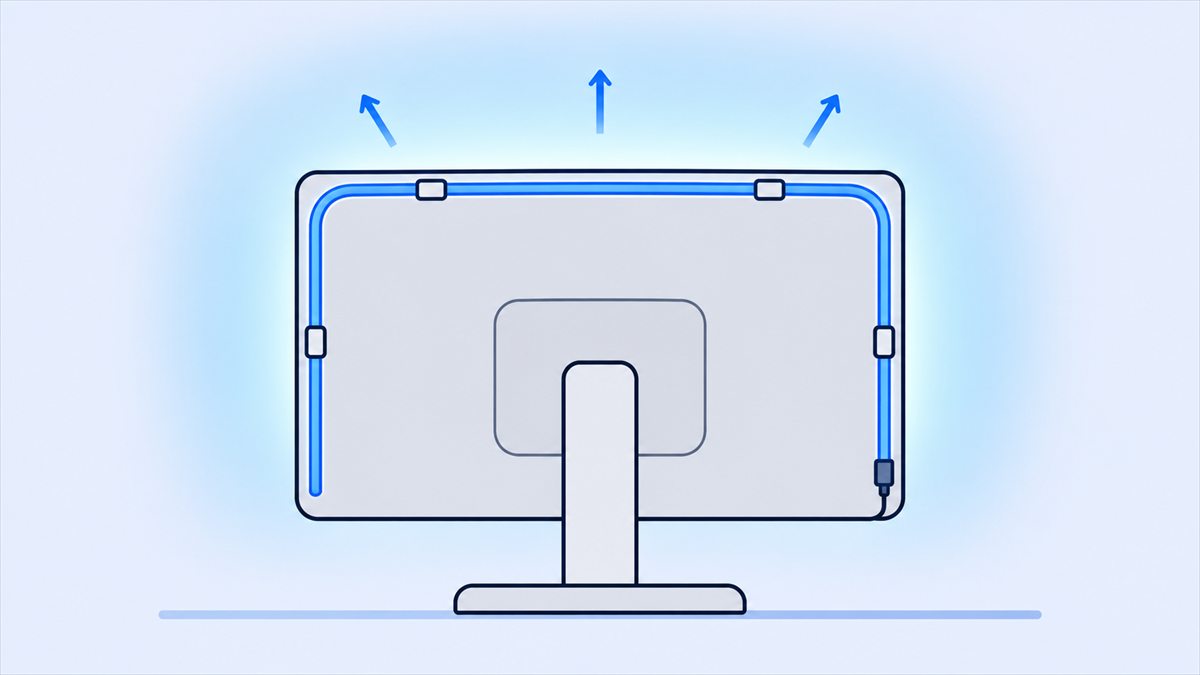
Bias lighting is a soft light placed behind a monitor that shines on the wall instead of at you. People add it to soften the jump between a bright screen and a dark room.
This guide covers what makers and eye-care sources actually say about it, the settings they suggest, where to put the light, and the main ways to add it. We found no independent test of bias lighting for eye strain, and we say so where it matters.
How we researched this
We don’t test products ourselves. This page draws on BenQ’s explainer, MediaLight’s fundamentals page, Waveform Lighting, How-To Geek (2022) and the American Academy of Ophthalmology. BenQ, MediaLight and Waveform sell lighting, so we attribute each of their claims to them. See the full method.
Quick answer
Bias lighting is, in BenQ’s words, “a soft light placed behind a monitor or TV” that lights the wall rather than the screen. BenQ says the point is to ease “contrast glare,” the strain of a bright screen against a much darker room. The settings makers suggest are a neutral white around 6500K, a high color rendering index (CRI 90 or higher), and a dim level: MediaLight says no more than 10% of the display’s peak brightness. Aim it at the wall, not at your eyes. We found no independent study that tests bias lighting for eye strain, so treat the benefits as makers’ claims. If you want a rear light plus a front desk light in one product, see our guide to the best monitor light bars.
What bias lighting is
BenQ describes bias lighting as a soft light placed behind a monitor or TV that lights the wall or surface behind the display instead of shining onto the screen. How-To Geek (2022) calls it, at its most basic, “a relatively dim light source placed behind a computer monitor, TV screen”.
What bias lighting does and does not do
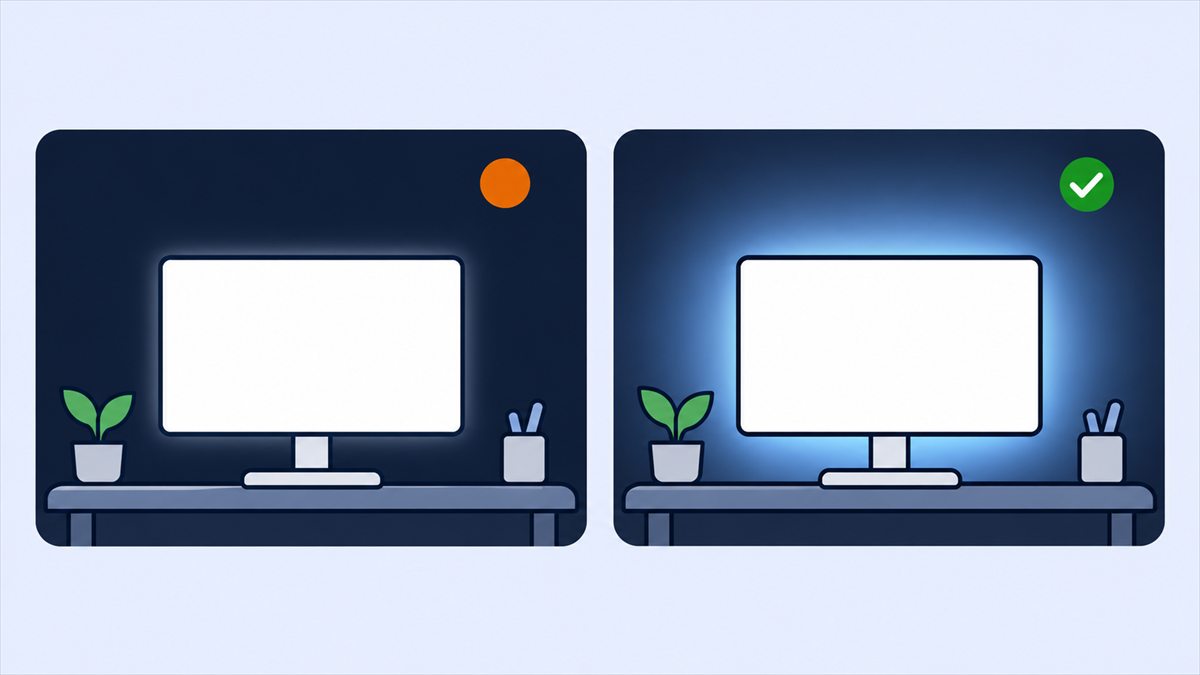
BenQ says a bright screen viewed against a much darker room causes “contrast glare,” and that a dim light behind the monitor reduces the harsh step between the two. BenQ also says bias lighting does not change the monitor’s actual contrast or image quality. MediaLight, which sells bias lights, says it improves perceived contrast. The makers do not fully agree on that point. Glare from a window or a lamp is a different problem: see our guide to how to reduce glare on a computer monitor.
The American Academy of Ophthalmology’s page on screens and eye strain says that if your screen glows brighter than your surroundings, your eyes have to work harder, and advises matching screen brightness to the light around you. That page does not mention bias lighting. We found no independent study that tests it, so we can’t say it reduces eye strain.
If your eyes are consistently red, blurry, watery, sensitive to light or painful, the AAO says to see an ophthalmologist. A light behind the monitor is not a substitute for that.
Settings that matter
- Color temperature. MediaLight recommends 6500K (D65), a neutral white that most monitors are set to. How-To Geek also calls a white light, preferably 6500K, the most basic form.
- Color rendering (CRI). MediaLight suggests a CRI (color rendering index, how accurately a light shows colors) of 90 or higher. Waveform Lighting says two lights that both look like D65 can differ once reflected off a wall, and that CRI explains why.
- Brightness. MediaLight says the light’s intensity should not exceed 10% of the display’s peak brightness, with about 5% typical, citing an SMPTE (film and video standards body) recommended practice. Treat the figure as MediaLight’s own reading of that practice.
- Static white. The sources above describe plain white light. Color-changing effects are a different product, covered below.
Where to put it
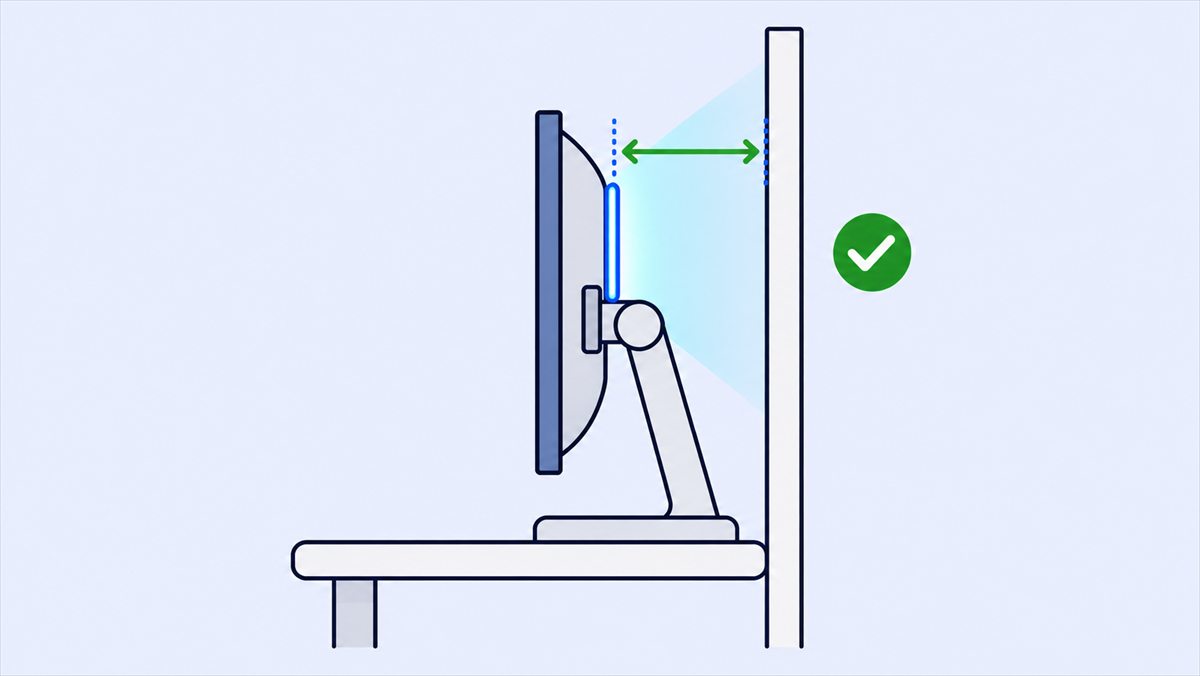
MediaLight says the light should be behind the display and aimed away from the viewer, onto a wall that is ideally a neutral, matte gray, and that mirrors and windows behind the display should be avoided. BenQ’s version of the same idea: the light hits the wall, not the screen.
Bias lighting alone does not light your desk. BenQ says front light illuminates the desk and work area while a backlight balances the brightness between the screen and its surroundings, and that some light bars, such as the ScreenBar Halo 2, combine both. Bias lighting does not light your face for a video call either: see our guide to lighting for video calls.
Ways to add bias lighting
There are three common routes. Prices change often, so we list none.
| Option | What it adds | What to check |
|---|---|---|
| Light bar with a rear light, such as the BenQ ScreenBar Halo 2 | Front desk light plus a backlight in one product, according to BenQ | Thickness range for your monitor; see our guide to checking the fit |
| USB LED strip (white, 6500K) | The simplest bias light, per How-To Geek: a USB-powered white strip behind the monitor | Color temperature and LED quality; How-To Geek warns against going too cheap |
| Strip made for accurate color, such as the MediaLight Mk2 | MediaLight lists 6500K, CRI 98, flicker-free output and a dimmer, and says it is certified by the Imaging Science Foundation and the Professional Video Alliance (the maker’s claim) | Length for your screen size and how it is powered |
| Color-sync strip, such as the Nanoleaf PC Screen Mirror Lightstrip | PCWorld says it has 75 color-changing LEDs, attaches to the back of a monitor up to 32 inches and runs on USB without a camera or control box | Its color-matching features need the Nanoleaf app; this is not a static white bias light |
If you only want the light behind the screen, a plain white strip is the simplest. If you also want a desk light, a light bar with a rear light covers both: see our monitor light bar guide.
A simple way to set it up
- Attach the light to the back of the monitor, or the wall behind it, aimed at the wall.
- Start with the lowest brightness and white at about 6500K.
- Turn it up slowly until the wall glows softly and the screen no longer looks like a bright window in a dark room.
- Check that you cannot see the light source from your seat and that it does not reflect on the screen.
For how a soft light behind the screen fits with window and room light, see our guide to lighting for computer work.
Want a desk light too?
See which monitor light bars reviewers recommend, including models with a rear light.
How we research
For this guide we used BenQ’s knowledge center article on lighting behind a monitor, MediaLight’s and Waveform Lighting’s pages on bias lighting, How-To Geek (2022), PCWorld’s article on a bias lighting strip and the American Academy of Ophthalmology’s computer-use advice. MediaLight and Waveform sell bias lighting, so we use their pages for the settings they suggest and treat the benefits as makers’ claims. We found no independent study that tests bias lighting for eye strain. We do not test products ourselves.
Frequently asked questions
What is bias lighting for a monitor?
BenQ describes it as a soft light placed behind a monitor that lights the wall behind the display instead of the screen.
Does bias lighting help with eye strain?
We found no independent study that tests it. BenQ says it reduces the harsh step between a bright screen and a dark room, and the American Academy of Ophthalmology advises matching screen brightness to the room, but the AAO page does not mention bias lighting.
What color temperature should bias lighting be?
MediaLight recommends 6500K (D65), and How-To Geek calls a white light, preferably 6500K, the most basic form.
How bright should bias lighting be?
MediaLight says the light should not exceed 10% of the display’s peak brightness, with about 5% typical. That is the maker’s reading of an SMPTE recommended practice.
Do I need bias lighting if my light bar has a rear light?
Not necessarily. BenQ says some light bars, such as the ScreenBar Halo 2, combine front and back lighting, so a separate strip is optional.
When should I see an eye doctor?
The American Academy of Ophthalmology says to see an ophthalmologist if your eyes are consistently red, blurry or watery, or become sensitive to light or painful.
Written by